
FIFA WORLD CUP 2026
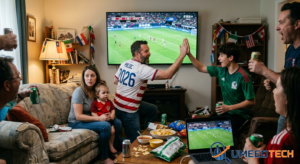
FIFA WORLD CUP 2026
My router almost melted last night, and it wasn’t because I was mining crypto. The FIFA World Cup 2026 is officially live, and trying to handle four simultaneous high-definition streams on three different devices while my local group chat exploded with 400 messages a minute apparently pushes consumer-grade Wi-Fi to its absolute absolute absolute limits.
We are finally here. The tournament kicked off on June 11 in Mexico City, and we are neck-deep in the chaotic beauty of the expanded 48-team group stage. If you have been watching the opening matchdays, you already know that this isn’t just another World Cup with a few more flags painted on people’s faces. It’s an entirely different beast. A massive logistical puzzle, a streaming nightmare for your data cap, and a gold rush for sheer football entertainment.
As a tech blogger who lives at the intersection of sports media and home networking, I’ve spent the last six months prepping my digital setup for this exact tournament. I made mistakes, ran into unexpected geoblocks, and learned a few hard lessons about streaming live sports when half the planet is trying to ping the same servers.
Let’s break down exactly what’s happening on the pitch right now, how the new format works in reality, and how you can optimize your tech setup so you don’t miss a single goal due to buffering.
The Reality of the 48-Team Chaos: What We’re Seeing
When FIFA announced that they were expanding the tournament from 32 to 48 teams, the internet did what the internet does best: it complained. Critics said the quality of play would drop, that the group stages would feel bloated, and that small nations would just get walked over by traditional powerhouses.
Well, we are a few days into the action, and those predictions are already aging poorly. Look at what just happened last night: Cape Verde managed a historic, gritty 0-0 draw against Spain in Atlanta. Germany did lay a massive 7-1 beating on Curaçao in Houston, sure, but then you look at Qatar holding Switzerland to a 1-1 tie in the San Francisco Bay Area, or Morocco snatching a 1-1 draw against Brazil in New Jersey.
The gap between global football giants and the rest of the world is shrinking, largely because the modern athletic infrastructure is everywhere. The 104-match format means we are getting triple-headers and quadruple-headers almost every single day. For a fan, it is pure paradise; for your home bandwidth, it’s a structural hazard.
The Host City Dynamic
This tournament is spread across 16 cities in three massive countries: the United States, Mexico, and Canada. Because of the vast distances and varying time zones, keeping track of linear broadcast schedules is completely pointless. If you rely on a classic TV guide, you are going to miss matches. The schedule travels across time zones faster than a cross-field pass from De Bruyne.
Setting Up Your Ultimate World Cup Streaming Lab
If you think you can just wander into this tournament relying on your smart TV’s default built-in app and standard Wi-Fi, you are going to hit a wall of pixelation right around the 80th minute of a tight game. Live sports streaming uses a different type of data delivery protocol than a pre-buffered Netflix show. It demands low latency and high consistency.
Here is the exact step-by-step framework I used to optimize my setup, ensuring that when a game goes down to a last-minute penalty, my screen doesn’t turn into a muddy mosaic of green and white blocks.
Step 1: Kill the Wi-Fi for Your Primary Screen
I love mesh Wi-Fi networks as much as the next guy, but packet loss is real, especially when your neighbors are also streaming the matches in 4K. If your TV, streaming stick, or console is within 20 feet of your router, buy a cheap Cat6 Ethernet cable and plug it directly into the back.
Hardwiring your main display drops your local latency by several milliseconds and entirely eliminates the micro-stuttering caused by smart appliances or Bluetooth interference.
Step 2: Configure Quality of Service (QoS) Rules
Most modern routers (like the Google Nest Wi-Fi, Asus ROG series, or Netgear Nighthawk) have a feature called QoS in their admin panels.
-
Open your router’s companion app or log into
192.168.1.1via your browser. -
Search for the QoS or Traffic Prioritization setting.
-
Turn it on and set your primary streaming device (Apple TV, Roku, Nvidia Shield, or PC) as the “Highest Priority” device.
This tells your router that even if your phone starts background-updating 40 apps or someone else in the house starts downloading a massive game patch, your football stream gets the bandwidth first.
Step 3: Use the Multi-Platform Approach
Don’t rely on just one platform. Keep the official FIFA+ app installed on your phone or tablet as a secondary statistical companion. It has real-time tracking, tactical camera angles, and instant replay clips that often show up faster than the live broadcast commentary can break them down.
Crucial Streaming Apps and Tools for 2026
The broadcast rights for this tournament are split across a dizzying array of networks depending on where you reside. In the US, it’s Fox Sports and Telemundo; in the UK, it’s the BBC and ITV; in international markets, it varies widely.
Here are the tools you need in your digital toolkit to stay ahead of the curve:
-
Official FIFA app: Indispensable for official group standings permutations, line-ups, and VAR explainers.
-
FlashScore or Sofascore: Essential for instant push notifications. If you are away from your screen or stuck at work, these apps ping your wrist with goal alerts about 15 seconds before the video feeds actually update on most streaming services.
-
ExpressVPN or NordVPN: Let’s be real—traveling during a summer tournament is a classic way to get hit by geo-restrictions. If you are an American traveling abroad but want to watch your hometown Fox Sports or Sling TV stream, you need a high-speed VPN protocol (like Lightway or WireGuard) to avoid massive server-side lag.
Pitfalls to Avoid: Don’t Make These Rookie Mistakes
I’ve spent the first few days of this tournament fixing mistakes I should have anticipated. Learn from my technical faceplants so you don’t drop points in your own viewing experience.
1. Forgetting the “Spoiler” Lag
Streaming television runs anywhere from 20 to 50 seconds behind live, over-the-air cable or satellite broadcasts. If your phone is sitting next to you with a sports betting app open or a hyper-active WhatsApp group chat going, you will have the goals spoiled for you. Your friends will text “GOAAAAL!” while the midfielder on your screen is still passing the ball backward in his own half.
-
The Fix: Mute your soccer group chats and turn off live notifications on your phone for the specific match you are watching. Trust me on this.
2. Trusting Public Web Streams
Avoid those shady, ad-bloated streaming links floating around social media channels. Not only do they drop out every ten minutes when a copyright strike hits them, but they are also absolute vectors for malware and phishing pop-ups. Stick to legitimate free-tier broadcasters or legal sub-accounts.
3. Ignoring the Battery Drain
If you are running multi-streams (tablet on the desk, TV on the wall), make sure your portable devices are plugged into dedicated wall bricks rather than low-voltage USB ports on your laptop. High-frame-rate live video rendering drains mobile batteries faster than almost anything else.
The Long Road to July 19
We have a massive journey ahead of us. The group stage runs all the way until June 27, and from there, we enter the brand-new Round of 32 knockout bracket. By the time the tournament concludes at the New York New Jersey Stadium on July 19, we will have witnessed the biggest, loudest, and most digitally consumed sporting event in human history.
Get your network cables organized, set up your priority devices, and turn off your push notifications. This is going to be an unforgettable summer of football.